Passport Size Photo Maker Online: Free & Instant
Flawless Passport Photos for India & Pakistan: Passports, Visas, ID Cards
Turn any selfie into an official passport photo in seconds, free. SnapID frames it to the exact 35x45mm standard (630x810 pixels), swaps the background to pure white, and hands you instant digital and print-ready downloads. It also works as a photo converter and resizer for JPG and PNG images. No signup, no watermark, and your photo never leaves your device.
Make your passport photo right here
Upload a photo, pick your document, and download the exact official size in seconds.
1. Choose your document
2. Background color (used with background removal)
3. Crop your photo (drag to move, corners to resize)
Your photo never leaves this browser. Nothing is uploaded or stored.
Sample passport photos: do’s and don’ts
Learn what makes a perfect passport photo and avoid the common mistakes that get applications rejected.
Correct photo example
- Plain white background (#FFFFFF), no patterns or shadows
- Face centered, filling 70 to 80 percent of the frame
- Neutral expression with both eyes open
- Even natural lighting with no harsh shadows
Common mistakes to avoid
- Colored or patterned background
- Harsh shadows or uneven lighting
- Smiling, laughing, or exaggerated expressions
- Face too close, too far, or poorly cropped
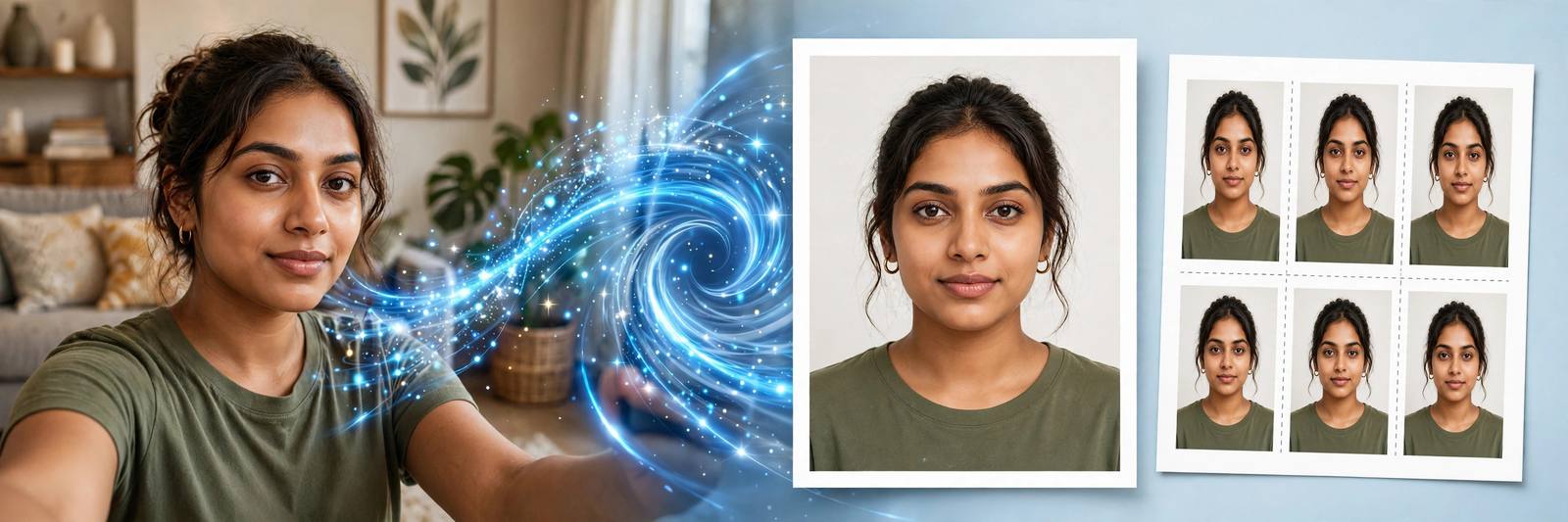
See how our tool transforms your photo
Upload any photo and get a government-compliant passport photo instantly. The AI separates you from a messy background and places you on a clean official backdrop, then frames everything to the exact millimeter.
Create my photo
What is a passport size photo?
A passport size photo is a small, standardized portrait used for official documents: passports, visas, national ID cards, and exam application forms. India, Pakistan, the UK, and Schengen countries use 35x45mm with a plain white background, while the US uses a 2x2 inch square. Every issuing authority checks the same things: exact dimensions, background color, face size and position, even lighting, and the file specifications for online uploads.
Getting any of these wrong is the most common reason applications get delayed or rejected. Photo studios charge for what is mostly careful cropping and resizing. SnapID does the technical part for you: choose your document, and the tool locks the crop to the official ratio, renders the exact pixel dimensions, compresses the file to fit portal limits, and builds a print-ready 4x6 sheet.
Exact passport photo sizes for every document
Select your document in the tool above and the crop ratio, pixel dimensions, and file size are handled automatically.
| Document | Photo size | Background | Digital output |
|---|---|---|---|
| India Passport | 35 × 45 mm | White | 630 × 810 px, 10KB – 250KB |
| Pakistan Passport | 35 × 45 mm | White | 630 × 810 px, under 350KB |
| Pakistan CNIC / NICOP | 35 × 45 mm | Blue | 630 × 810 px |
| US Visa | 2 × 2 in (51 × 51 mm) | White | 600 × 600 px min |
| UK / Schengen Visa | 35 × 45 mm | White | 630 × 810 px |
Indian passport size photo requirements and specifications
Standard Indian passport photos measure 35x45mm. This dimension is widely accepted across official applications including Indian passports, visa forms, Aadhaar card, driving license, and entrance exams.
| Specification | Requirement | Details |
|---|---|---|
| Photo size | 35x45mm | Standard Indian passport format under ICAO Doc 9303 |
| Background color | Pure white (#FFFFFF) | Plain, no patterns, clutter, or shadows |
| Face coverage | 70-80% | Face should occupy 70-80% of the vertical frame |
| Head position | Centered and straight | Look directly at the camera with level shoulders |
| Expression | Neutral | Mouth closed, no smiling or frowning |
| Eyes | Open and visible | No red-eye, squinting, or hair covering the eyes |
| Eyeglasses | Not allowed | Remove before the photo; glare causes rejection |
| Head covering | Religious only | Full face from chin to forehead must be visible |
| Digital resolution | 630x810 pixels | Required upload dimensions for Passport Seva |
| File size | 10KB to 250KB | For Passport Seva online portal upload |
| Photo recency | Within 6 months | Must reflect your current appearance |
For Indian passport
35x45mm with a matte or semi-matte finish. Pure white background without borders. Face centered, recent (within 6 months), both ears visible, full head from hair to chin.
For Aadhaar card
Standard 3.5x4.5cm proportions. Plain light or white background, face clearly visible with no shadows across it.
For visa applications
Sizes vary by country: 2x2 inch for the US, 35x45mm for Schengen and the UK. Always check the specific embassy rules before submitting.
For government job forms
Most Indian competitive exams (SSC, UPSC, banking, state PSCs) need a standard 35x45mm photo on white. Some forms also ask for the candidate name and date printed below the photo.
One tool for every ID photo you need
Presets tuned to each authority’s published requirements.
India Passport Photo
35x45mm, pure white background, 630x810 px JPEG under 250KB for Passport Seva uploads.
Pakistan Passport Photo
35x45mm, white background, NADRA 600 DPI standard, compressed under the 350KB portal cap.
Pakistan CNIC / NICOP
35x45mm with the NADRA blue background required for national ID cards.
US Visa Photo
2x2 inch square, plain white background, 600x600 px minimum for the visa application.
UK / Schengen Visa
35x45mm ICAO-compliant photo with white background for UK and Schengen applications.
Exam & ID Forms
SSC, UPSC, banking, and university forms all accept standard 35x45mm prints from the 4x6 sheet.
Aadhaar Card Photo
UIDAI-compliant 3.5x4.5cm format with a plain light background.
PAN Card Photo
Standard PAN application size output, ready for e-filing portals.
Driving License Photo
RTO-accepted 35x45mm format for license applications and renewals.
Make your passport photo in 3 easy steps
No editing skills needed. If you can take a selfie, you can make a compliant photo.
Upload your photo
Drag in a JPG or PNG up to 10MB. A plain wall behind you in daylight gives the best result.
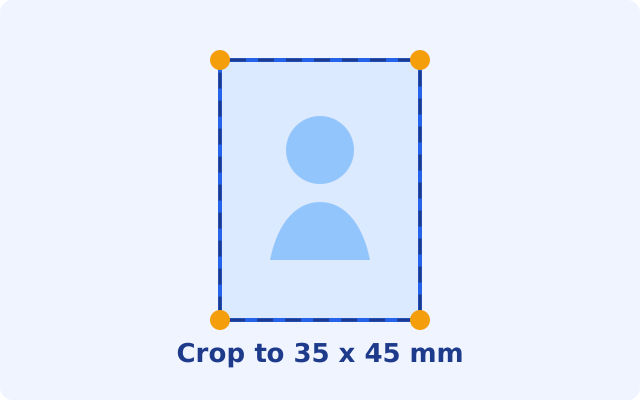
Crop to the official size
Pick India passport, Pakistan passport, CNIC, US visa and more. The crop locks to the official ratio, and one click removes the background.
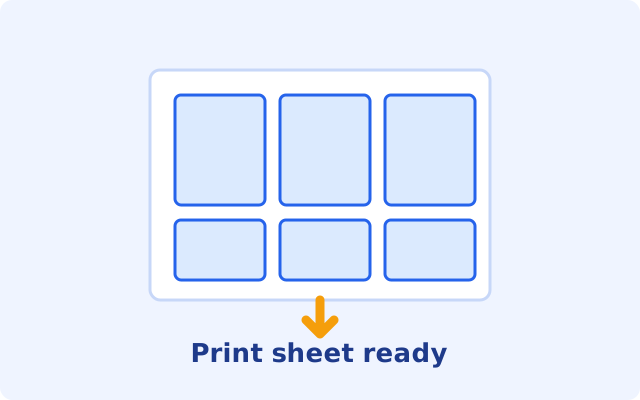
Download and print
Get the digital file sized for online portals, plus a 4x6 inch print sheet with perfectly spaced copies for the photo shop.
Passport photo requirements by country
The exact technical specs, plus the mistakes that get photos rejected.
India: Passport Seva
35x45mm, pure white background. Digital upload: 630x810 px JPEG between 10KB and 250KB. Face 70 to 80 percent of the frame, neutral expression, both eyes open, no glasses, photo taken within the last 6 months.
Pakistan: NADRA / DGIP
35x45mm, white background (blue for CNIC and NICOP). 600 DPI standard, head height 32 to 36mm with a 3.5mm gap above the crown. Digital photo: minimum 350x467 px, compressed under the 350KB portal cap. No glasses; religious head coverings allowed with the full face visible.
USA: Visa & Passport
2x2 inch (51x51mm) square, plain white background. Digital: minimum 600x600 px, maximum 1200x1200 px. Neutral expression or natural smile, no glasses, no shadows on the face or background, photo within 6 months.
Mistakes that get photos rejected
Colored or shadowy background; face too small or cropped too tight; smiling with teeth or wearing glasses; heavy filters or edited skin; blurry or low-resolution upload; file over the portal size limit; photo older than 6 months.
Print-ready layouts
Download a print sheet with 6 photos optimized for standard 4x6 inch photo paper. Take it to any local printer and pay for one print instead of a studio session.
- Six 35x45mm copies on every 4x6 sheet, with light cut guides
- Print at 100 percent scale, fit-to-page off, on photo paper
- Matte or semi-matte finish preferred for official submissions
Common mistakes to avoid
Most rejections come from these five fixable problems, not from the camera you used.
Wrong background
Colored backgrounds, patterns, or visible shadows. Use only pure white, or let the tool replace it in one click.
Incorrect face positioning
Face too close, too far, or off-center lowers acceptance chances. The locked-ratio crop keeps placement exact.
Poor lighting
Dark photos, harsh shadows across the face, or overexposed images get rejected. Face a window in daylight.
Filtered or edited photos
No beauty filters or heavy editing. Photos must show natural skin tone and real features.
Old photos
Photos older than 6 months may be rejected because they no longer match your appearance.
Built for official documents
Everything the portals check, handled automatically.
Exact official dimensions
Presets for India and Pakistan passports, CNIC, US visa, UK and Schengen. Pixel-perfect output every time.
One-click background removal
Replace a messy room background with clean white, or NADRA blue for CNIC photos. The AI runs entirely on your device.
Print-ready 4x6 sheets
A standard 4x6 inch sheet with perfectly spaced copies and cut guides. Print at any shop for a fraction of studio prices.
Portal file-size control
Online portals reject oversized files. SnapID compresses your photo to fit limits like the 350KB NADRA cap or 250KB Passport Seva cap automatically.
Private by design
Your photo is processed inside your own browser. Nothing is uploaded, stored, or seen by anyone. Close the tab and it is gone.
No app, no signup
Works on any phone or computer straight from the browser. Free forever, with no watermarks on your photos.
Mobile & desktop friendly
SnapID works on smartphones, tablets, laptops, and desktops. Take a selfie on the go and create your photo instantly.
No tech skills needed
A simple drag-and-drop interface designed for everyone. No photo editing experience needed. Create a professional photo in three clicks.
Everything about passport size photos
Why use a free passport size photo maker?
Getting a compliant passport photograph should not need an expensive studio trip. SnapID is a browser-based utility that lets anyone create formal, specification-ready photos completely free, for Indian passports, Pakistan passports and CNIC, US, UK and Schengen visas, Aadhaar, and PAN. Instead of wrestling with complex desktop software just to crop an image to 35x45mm, you upload once and the tool handles sizing, background, and file limits for you.
Privacy and security
Identity photos deserve serious privacy. SnapID is built so your face never travels across the internet.
- 100% local processing: cropping and background removal run inside your browser
- No cloud storage: we do not store, view, or analyze your photos
- Close the tab and the session is permanently erased
How our background removal works
Most authorities demand a clean, uniform white background with zero shadows, which is hard to achieve at home without studio lighting. SnapID runs an on-device AI model that separates you from the background, carefully tracing hair strands and shoulders, strips the old background away, and places a pure white canvas behind you. It all happens locally in your browser in seconds.
Digital photo specifications (online applications)
- File format: JPEG or JPG preferred
- File size: between 10KB and 250KB for Passport Seva; under 350KB for NADRA
- Image dimensions: 630x810 pixels for India, 600x600 px minimum for the US
- Resolution: 300+ DPI for print quality
- Color space: sRGB
Best practices for high approval rates
Editorial note: SnapID is an independent private utility and is not affiliated with the Government of India, NADRA, UIDAI, or any embassy. Always double-check official portal requirements before submitting your application.
Passport size photo questions, answered
Need a passport size photo today?
Make one in under a minute, free, right in your browser.
Create my photo